
How to Do the Bby Wow Trend Without a Green Screen
Make the Bby Wow party walk-in from a photo: prepare a clear image, choose settings, check motion and add licensed sound when posting.
Start with the party walk-in you mean
You can make a photo version of the Bby Wow party entrance without filming yourself or setting up a green screen. The AI workflow generates new movement and a new scene from an input photo. It is useful when you want the approach, serious stare and turn toward the party without recreating a crowded location at home.
The separate LOS MENOR3S hands-up dance has different movements. Our current generator makes the Party Walk-In. If you are unsure which clip you mean, read the meme explained before choosing a tool. Similar captions do not make two routines interchangeable.
Step 1: Prepare one readable photo
Use one clearly visible person with a recognizable face and upper body. Keep some space around the head and shoulders. A front or gentle three-quarter view usually provides more visible facial information than a tiny face cropped out of a group. Avoid heavy filters, dark glasses and objects covering the mouth.
You do not need to erase the background, cut out the person or add a party backdrop. Start with a clear original image rather than repeatedly exporting a small screenshot. If your goal is a pet version, choose one cat or dog with its ears, muzzle and coat details visible. Keep the animal in a comfortable natural pose.
Only upload a photo you are entitled to use. Ask a friend before uploading their image, and check what they are comfortable sharing. The new video may alter appearance or gesture, so agree on the joke as well as the photo.
Step 2: Choose the output before submitting
Open the generator, choose a person or pet lead and use the Party Walk-In routine. Review the available model, resolution, duration and aspect ratio. The settings shown in the tool determine the server quote; the credit total can change when the model or output changes.
Registration is free and includes one watermarked 480p video using the default settings. Compare credit packs and subscriptions if you want further videos or different settings. Sign in before buying credits so the purchase and generated work belong to your account.
Vertical output can suit a phone feed. Wider framing can leave extra room for the party and the final turn. Neither format fixes a weak input image. If you are comparing settings, keep the photo and other choices the same and change one setting at a time.
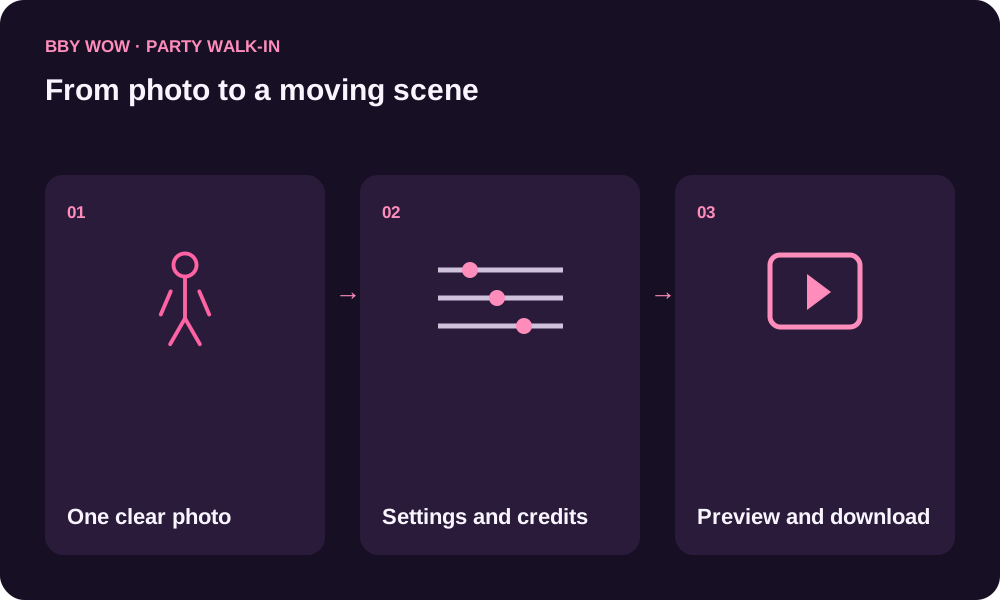
Step 3: Check the whole result and finish your post
Watch once for identity: face shape, hair, eyes and clothing, or the pet’s ears, muzzle and markings. Watch again for action: a continuous approach, a readable stare, natural hands or paws and a completed turn. Pay attention to the edges of the frame; a good face does not help if the gesture disappears outside the crop.
AI results can vary. A poster image, successful task status or playable first second does not tell you whether the full sequence works. Download the finished clip and open the saved file before sharing it. Keep the task identifier if you need help with a missing or unusable file.
The commercial KAROL G recording and lyrics are not included. To post with that sound, select an authorized version inside your destination platform. Check that the music starts at the moment you intend, preview the final post and keep its crop clear of the face and gesture.
When a filmed edit is a better fit
If you need exact choreography, exact timing from a specific original clip or a frame-for-frame match, choose a tool that explicitly supports that task and inspect its examples first. Photo generation creates a new interpretation. It can put your subject into the party moment, but it is not a guarantee of identical movement or likeness.
Questions before you start
Do I need a green screen to make Bby Wow?
No. The AI workflow creates a new scene from a photo; it does not need filmed footage against a green background.
Will AI preserve my face exactly?
Likeness can vary. Use a clear photo and review the face, motion and turn in the complete clip before sharing.
Do I add the song before generating?
No. The party walk-in workflow starts with a photo. To use the commercial track when posting, select a licensed sound on the destination platform.
Can I do this with my dog?
Yes. Select the pet lead and use a photo with visible ears, muzzle, body and coat. There is no need to pose the animal like a person.