
Save and share your BBY WOW video from a phone
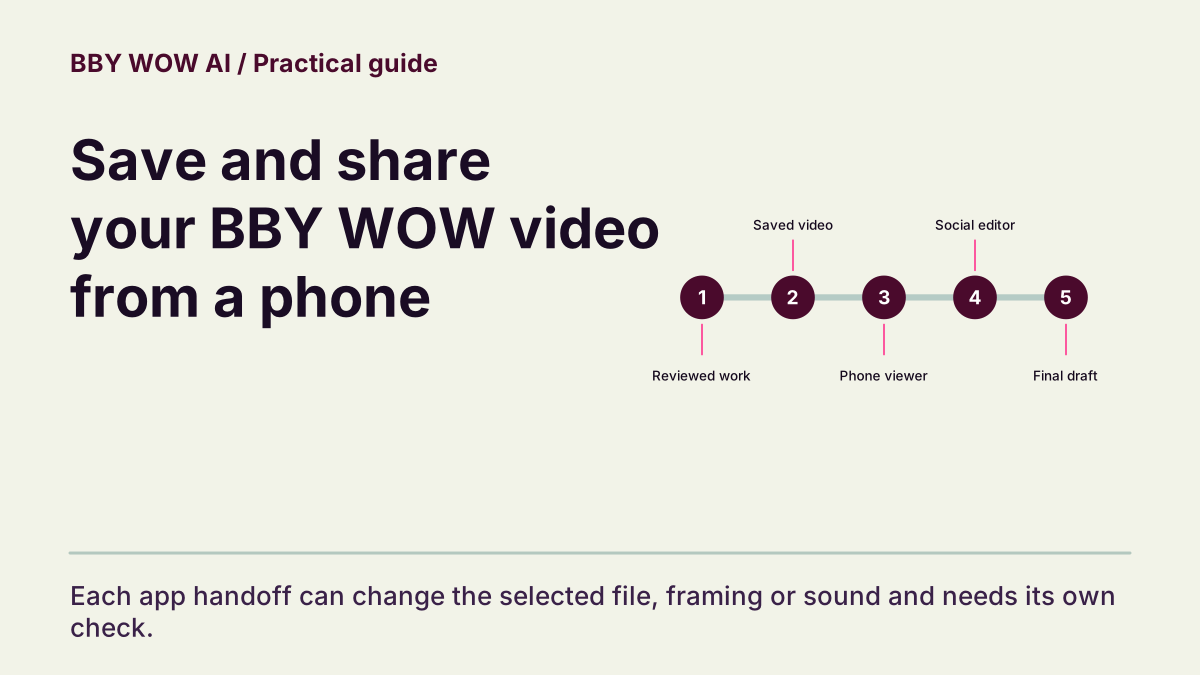
Move the reviewed file into another app while preserving the right version, framing and sound.
The short answer
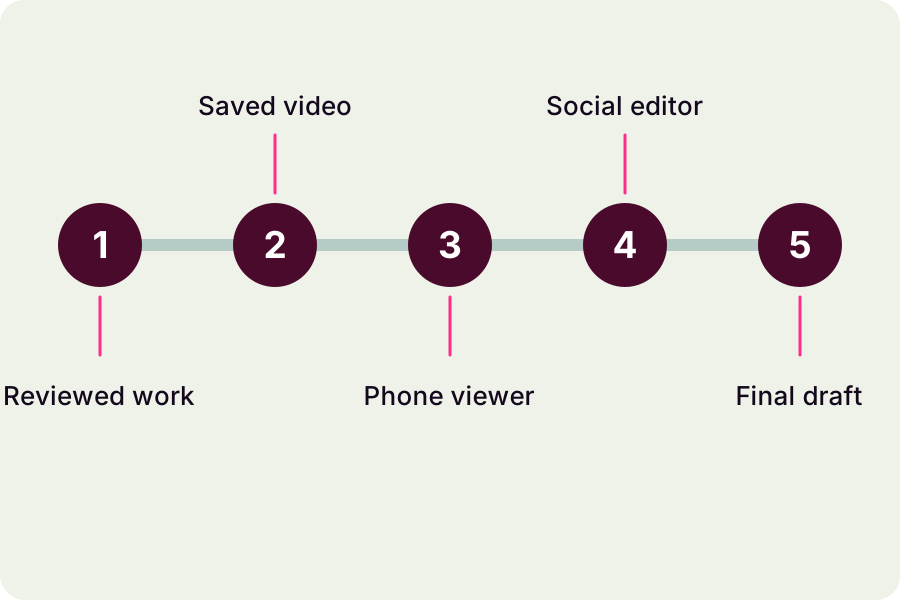
Download the work you approved, open it on your phone and import that file into the destination app. Recheck the crop, music start and final export. Posting controls and music permissions depend on the platform you choose.
In this guide
What to check
| Save the reviewed version | A nearby sample is not your selected work. |
|---|---|
| Confirm where the phone saved it | Downloads and camera-roll items can differ. |
| Inspect the import crop | Watch the face and hand gesture in the editor. |
| Check soundtrack and captions | A new sound changes synchronization. |
| Review the final export | Keep an original backup. |
Save the reviewed version
Select the intended work in My Videos and use its download control. Keep the title or task details associated with the file. If several attempts look similar, compare the opening and ending before importing. Downloading an existing work does not require another generation.
Confirm where the phone saved it
Your browser may save to Files, Downloads or another location depending on the device. Confirm that the media file exists and plays in a normal viewer. A preview tab or still image is not the complete video. Move or copy it only after verifying the saved version.
Inspect the import crop
After importing, check whether the app zoomed or reframed the clip. Play through the hand gesture and turn, not only the opening still. Keep important movement away from captions and controls where possible, and inspect the actual device view instead of assuming a fixed safe area.
Check soundtrack and captions
If you add a platform sound, align it against the visible entrance and review the full draft. Avoid leaving two competing tracks unless intentional. Use a truthful caption that does not imply real footage, a personal performance by someone who did not consent or an artist’s endorsement.
Review the final export
Open the saved or posted draft and check duration, sound and framing once more. Keep the original download so an app edit can be reversed. Music and likeness permissions still apply, and a social platform’s acceptance does not settle every right needed for commercial reuse.
Contact support